MiniMax M3.1 Flash Review: Specs, Pricing and Benchmarks

By Alex Morgan
MyClaw Editorial
MiniMax M3.1 Flash
Try MiniMax M3.1 Flash
Start a chat with MiniMax M3.1 Flash for coding, writing, or research.
Chat with MiniMax M3.1 FlashAI Takeaway
- What is MiniMax M3.1 Flash? It is MiniMax's newest Flash model, built for agent tasks, coding, computer use and security work. MiniMax rolled it out on October 19, 2026 through its API, the M Plan and MiniMax Code, and says the weights will be released later (vendor-stated, read October 20, 2026).
- What is MiniMax M3.1 Flash pricing? MiniMax lists flat rates of $0.15 per million input tokens, $0.60 per million output tokens and $0.015 per million cached input tokens (vendor-stated, October 20, 2026).
- How much can it take in at once? Up to 1,000,000 tokens of context, with text, image and video input. Thinking is always on, and you tune its depth across five effort levels, with max as the default.
- How does it score? MiniMax reports 73.7% on DeepSWE v1.1, 61.7 on OSWorld V2, 76.2 on BankerToolBench and 82% on CyberGym. Third-party testing by Artificial Analysis puts it at about 42 to 43 on its Intelligence Index, but also flags a high rate of confident wrong answers.
- Can I use it in MyClaw? Yes. MyClaw offers MiniMax M3.1 Flash under the model ID MiniMax-M3.1-Flash, and switching takes three steps, shown further down.
What MiniMax M3.1 Flash Is and What Changed From M3
MiniMax pitches M3.1 Flash as a big step up for its small, fast tier. The company says an early version ran anonymously under the name "Space Bunny" and handled more than 200 trillion tokens before launch. Compared with its predecessor, MiniMax claims online inference is nearly three times faster and overall usage cost on agent tasks is about 70% lower. It also says output speed can pass 200 tokens per second, with a median above 170 (all vendor-stated, read October 20, 2026).
The launch post makes the focus clear: multi-step business workflows across SaaS tools, long coding sessions, operating a computer and security tasks like code auditing. A larger Pro model is promised "later". The weights are not yet released (vendor-stated), even though one API docs page already describes the model as open-weight, so treat self-hosting as a future option rather than a current one. For the previous generation, see our MiniMax M3 overview.
On positioning, Flash is meant to be the everyday workhorse, with Pro reserved for the hardest problems once it arrives. That split is useful when you pick a default model for an agent: most agent steps are routine lookups, edits and tool calls, so a fast, low-rate model can carry the bulk of the load while a stronger model handles the rare tricky step.

This MiniMax M3.1 Flash review draws on vendor documents and published third-party results. We have not run our own tests, so read every score below as a claim to verify on your own workload.
Try M3.1 Flash in a Hosted Agent: MyClaw
Rather put the model to work than wire up an API? MyClaw is a simple route. Think of it as a hosted OpenClaw or Hermes agent that stays online around the clock; you reach it through email, Telegram, WhatsApp or a browser tab. MyClaw works with most popular models; MiniMax M3.1 Flash now sits on that list.
Because the agent can follow multi-step instructions and keep running on a schedule, it is a handy testbed for seeing how M3.1 Flash handles your own research, writing or reporting jobs. Curious about the frameworks underneath? Start with our OpenClaw basics and this Hermes walkthrough.
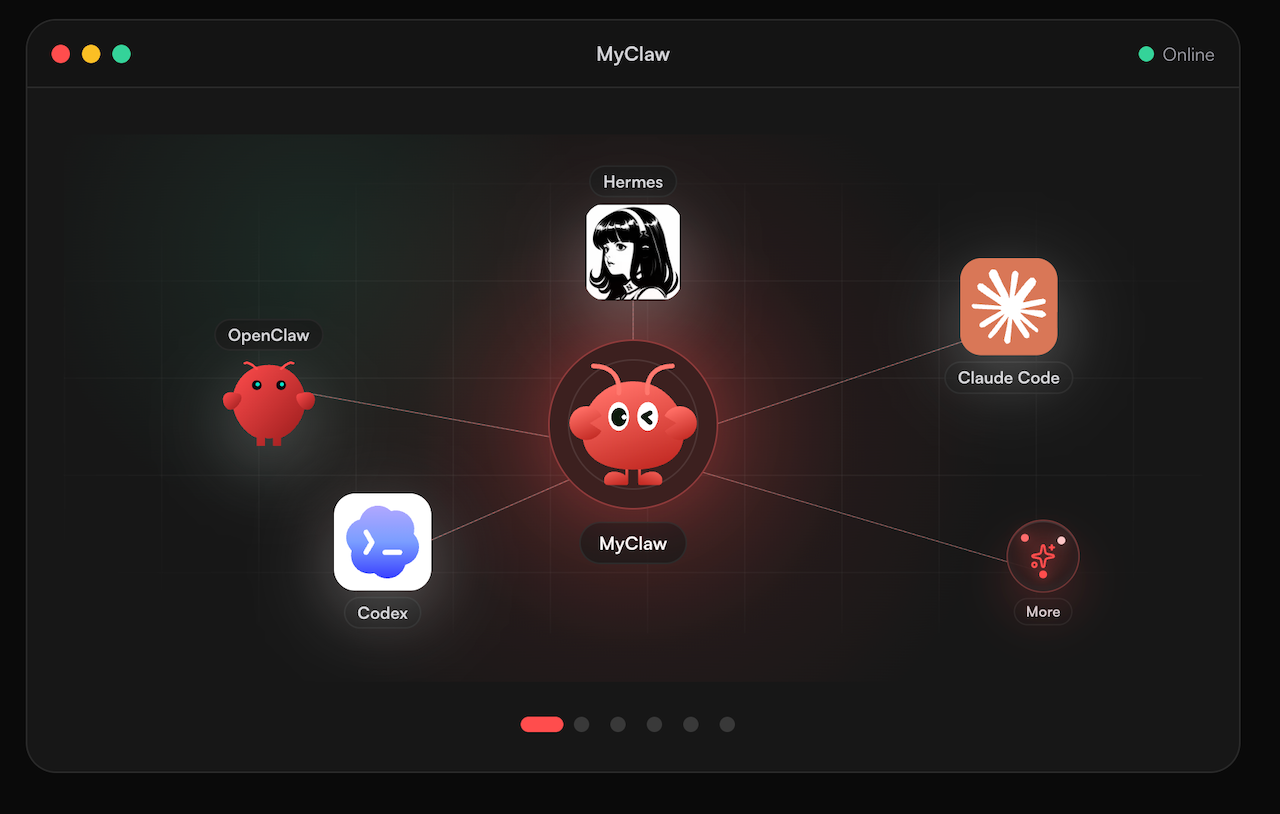
- Create a MyClaw account and get an agent up.
- Open the model settings and choose MiniMax M3.1 Flash (MiniMax-M3.1-Flash).
- Send it a real task from your week and compare the result with your usual model.
Specs, API Access and Pricing
Here are the core MiniMax M3.1 Flash specs from MiniMax's docs and launch post, all vendor-stated and read October 20, 2026.
| Item | Detail |
|---|---|
| API model ID | MiniMax-M3.1-Flash |
| Context window | 1,000,000 tokens |
| Input types | Text, images, video |
| Thinking | Always on; effort low, medium, high, xhigh or max (default max) |
| API formats | OpenAI-compatible and Anthropic-compatible endpoints |
| Input price | $0.15 per 1M tokens |
| Output price | $0.60 per 1M tokens |
| Cached input price | $0.015 per 1M tokens |
| Weights | Not yet released |
Three practical details stand out. Thinking cannot be switched off: the docs say a request that tries to disable it returns an error, so the way to cut latency and token use is a lower effort level. The reasoning text comes back in a separate field from the final answer. MiniMax also suggests setting coding tools to a 512K context window for everyday work, saying that in its ProgramBench comparison results were similar to 1M while the estimated cost was about 20% lower.
To put the rates in perspective, here is our own arithmetic, not a vendor figure. A job that reads 200,000 tokens and writes 20,000 tokens would cost about $0.03 for input plus $0.012 for output, or roughly $0.042 in total, before any caching discount. Keep in mind that the default max effort produces reasoning tokens too, which are billed as output. For how other budget models price similar work, see how we lined up two other budget Flash models.
Benchmarks: Vendor Claims and Independent Results
Vendor-Reported Scores
MiniMax published these results with the launch. They are vendor-stated, read October 20, 2026, and were not reproduced by us.
| Benchmark | What it tests | MiniMax M3.1 Flash |
|---|---|---|
| DeepSWE v1.1 | Real software engineering tasks | 73.7% |
| OSWorld V2 | Operating apps on a computer | 61.7 |
| Agents' Last Exam | Professional, economically useful tasks | 29.6 |
| BankerToolBench | Finance workflows with chained tool calls | 76.2 |
| CyberGym | Finding and validating vulnerabilities | 82% |
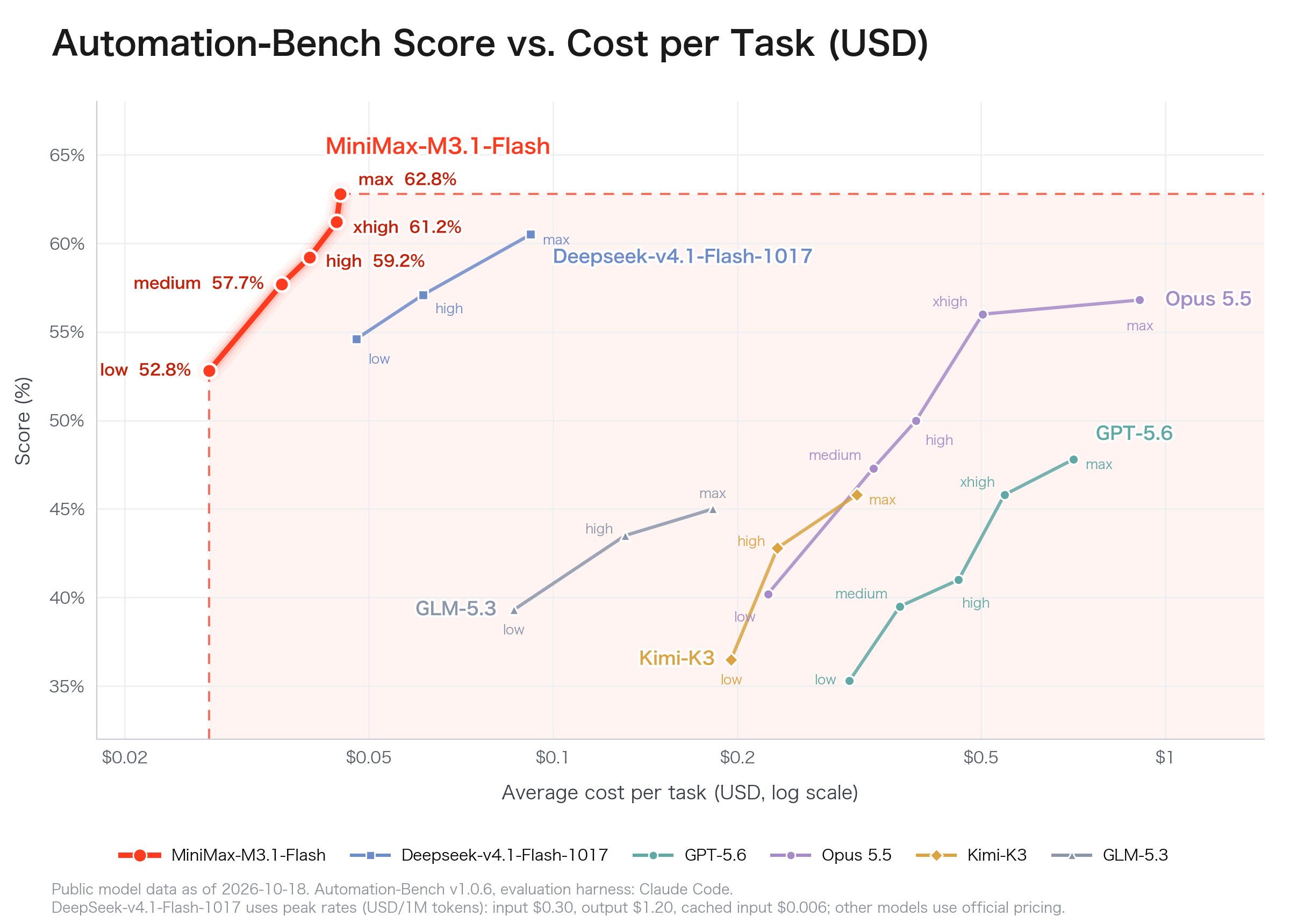
MiniMax also says the model ranks among the top performers on AutomationBench-AA and first among Chinese models on OSWorld V2 and Agents' Last Exam.
Third-Party Testing
Artificial Analysis, an independent benchmarking firm, scored M3.1 Flash at about 42 to 43 on its Intelligence Index, depending on where the figure is reported, up from 29 for M3 (third-party, October 19, 2026). It also measured 48% on Humanity's Last Exam. The same testing found the model answers many knowledge questions correctly but tends to guess rather than admit uncertainty when it does not know, and it generated a large volume of tokens during evaluation. If you plan to rely on it for factual answers, add a checking step, such as asking the agent to cite the document it used or running a second pass that flags unsupported claims.
Two things are worth keeping in mind when reading any MiniMax M3.1 Flash benchmark. First, vendor-picked benchmarks naturally show a model at its best, and several of these tests are new, so there are few public baselines to compare against. Second, results at max effort may not match what you see at lower effort levels, which many teams will use to control speed and spend. Our matchup of M3 against DeepSeek's Pro model gives more context on how the last generation stacked up.
MiniMax M3.1 Flash Pros and Cons
Pros: MiniMax M3.1 Flash
- Low listed per-token rates.
- One-million-token context window.
- Strong vendor-reported agent and coding scores.
Cons: MiniMax M3.1 Flash
- Thinking cannot be turned off.
- Third-party tests flag frequent confident errors.
- Weights not yet released (vendor-stated).
Who Should Use MiniMax M3.1 Flash
MiniMax M3.1 Flash looks like a good fit for teams running lots of agent steps, such as pulling data across business apps, drafting reports or working through a long coding task, where per-token cost adds up quickly. The 1M context also suits long documents and large codebases, and the image and video input widens the kinds of files it can read.
It is a weaker choice when answers must be factually right with no review, given the third-party hallucination finding, or when you need to run the model on your own hardware today. In those cases, compare it with other options in our MiniMax alternatives roundup, and test any model on your own prompts before switching. A fair trial uses the same ten or twenty real tasks for each candidate and scores correctness, time taken and total tokens, rather than relying on a single impressive answer.
Conclusion
On paper, MiniMax M3.1 Flash pairs low listed prices with a 1M context window and strong vendor scores on agent, coding and computer-use benchmarks. Independent testing backs up a real jump over M3 but warns about overconfident answers, and the weights have not shipped yet. For high-volume agent work with a review step, it is well worth a trial, whether through the MiniMax API or by switching your MyClaw agent to it for a week.
Put MiniMax M3.1 Flash to work on a real task
Start a chat with MiniMax M3.1 Flash for coding, writing, or research.
Chat with MiniMax M3.1 Flash