Seedance 2.5 Flash vs Seedance 2.5, Is It Worth Upgrading?

By Alex Morgan
MyClaw Editorial
MyClaw
Run Best-in-Class AI Agents Now
Run OpenClaw or Hermes Agent on managed MyClaw hosting, so your AI agent stays online, updated, and ready for real work.
AI Takeaway
- Which model should I use? Start with Seedance 2.5 Flash for variations and clips you can deliver at 720p. Choose Seedance 2.5 when you need 1080p, more references, or a 480p Draft you can use to generate a 1080p final.
- How much cheaper is Flash? For a five-second, 16:9, 720p clip without video input, BytePlus ModelArk lists $0.76 for Flash and $1.156 for Seedance 2.5. That's about 34% less per clip.
- What can both models do? Both generate 4–30-second clips with optional audio and can create, edit, or extend video. Flash takes up to 10 images, five videos, and five audio clips per request. Seedance 2.5 takes up to 30 images, 10 videos, and 10 audio clips.
- Is Flash twice as fast? BytePlus reports nearly twice the generation speed. To estimate your turnaround, time the same shot on both models with matching settings.
Seedance 2.5 Flash and Seedance 2.5 at a Glance
Both models can make a video from a text prompt, use an image as the first frame, or use two images as the first and last frames. They can also take images, video, and audio as references in the same request. The differences that matter most are how much source material you can bring in, how you preview a shot, and what resolution you can deliver.
| Feature | Seedance 2.5 Flash | Seedance 2.5 |
|---|---|---|
| Output resolution | 480p or 720p, both 8-bit | 480p or 720p at 8-bit, or 1080p at 10-bit |
| Clip length | 4–30 seconds or automatic | 4–30 seconds or automatic |
| Reference assets per request | 10 images, 5 videos, 5 audio clips | 30 images, 10 videos, 10 audio clips |
| Native audio | Optional | Optional |
| Generation, editing, and extension | Supported | Supported |
| Draft mode | Unavailable | 480p Draft with a 1080p final |
The resolution row refers to generated output. BytePlus separately announced Dreamina Seedance 2.5 4K, so a listing with that full name refers to a different model. For more detail on the two models in the table, see the Seedance 2.5 Flash review and the Seedance 2.5 review.
How Much Does Each Model Cost per Clip?
Five-Second API Pricing at 480p, 720p, and 1080p
These are published estimates for one five-second, 16:9 clip without video input, checked on November 16, 2026. BytePlus ModelArk bills in US dollars. Volcano Ark lists prices in Chinese yuan.
| Output | Flash on BytePlus (USD) | Seedance 2.5 on BytePlus (USD) | Flash on Volcano Ark (CNY) | Seedance 2.5 on Volcano Ark (CNY) |
|---|---|---|---|---|
| 480p | $0.34 | $0.514 | ¥2.21 | ¥3.36 |
| 720p | $0.76 | $1.156 | ¥4.97 | ¥7.56 |
| 1080p | Unavailable | $2.843 | Unavailable | ¥18.71 |
At those BytePlus 720p estimates, ten successful generations would cost $7.60 on Flash or $11.56 on Seedance 2.5. If you're budgeting for a finished shot, divide your total billed spend by the number of clips that pass review. Successful renders you discard still count toward that spend.
How Video References Change the Bill
Both providers calculate charges from token usage. A reference clip adds input duration to the calculation, and a minimum token charge can apply. For the same five-second, 720p output on BytePlus, adding a 2–30-second video input changes the published estimates to $0.84–$3.25 for Flash and $1.244–$4.838 for Seedance 2.5. The low end applies to 2–4 seconds of input. The high end applies to 30 seconds.
At 480p and 720p, BytePlus lists $7 per million tokens for Flash and $10.70 for Seedance 2.5 without video input. With video input, those unit rates drop to $4.30 and $6.40, respectively. The per-clip total can still rise because the reference video adds to billable usage. Use the token count returned by the API to reconcile the actual charge. If you're also considering a different video model for reference-heavy work, the Wan 3.0 vs Seedance 2.5 comparison covers pricing and editing controls.
When to Use Flash or Seedance 2.5
Use Flash for Variations and 720p Delivery
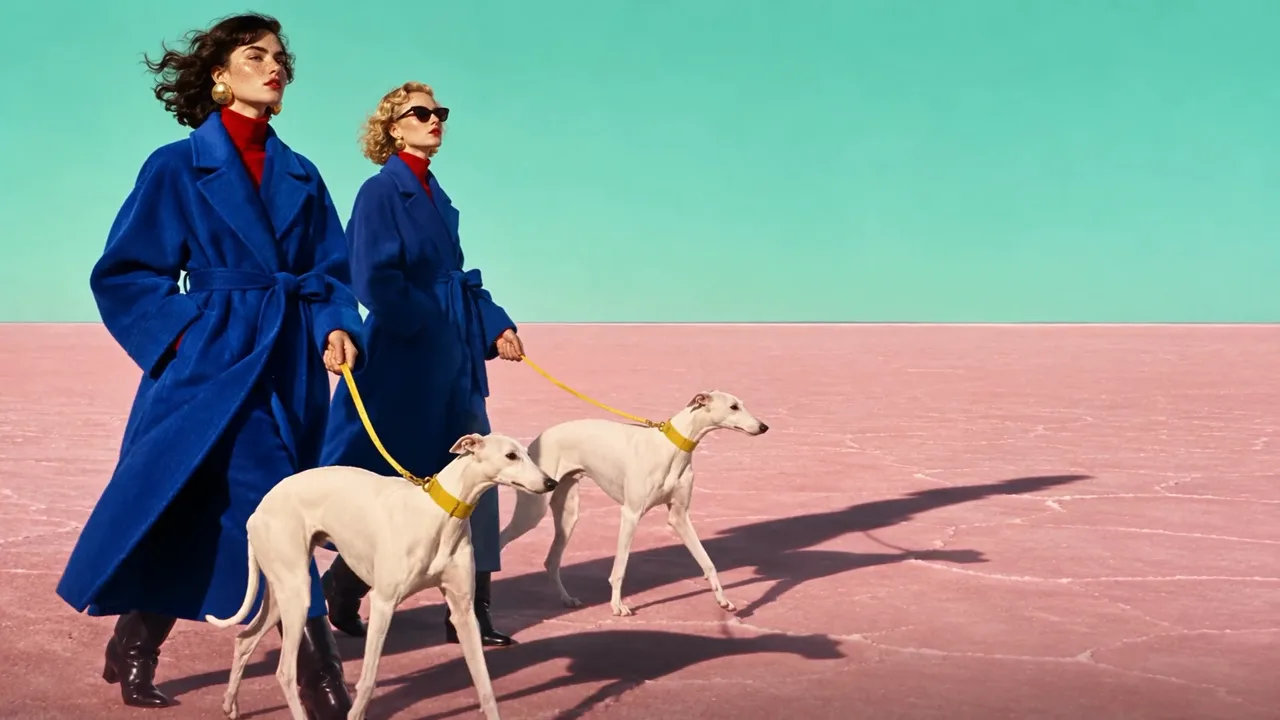
Say you're making a five-second product clip and want to try a slow push-in, a static close-up, and a wider reveal. Flash lets you compare those directions at the lower per-clip price. If 720p fits the brief, you can use the take you choose. If you later generate the shot on Seedance 2.5 at 1080p, allow time to review it again. The new request generates a new take, so details such as timing and framing can change.
Use Seedance 2.5 for 1080p and Reference-Heavy Shots
Choose Seedance 2.5 when the brief calls for a 1080p master or more than 10 reference images in a single request. For example, if a scene needs 12 specific product angles, the standard model can accept them together. Its documented 1080p output uses 10-bit HEVC, so check that your editor and delivery platform can handle that format.
If you want to approve a preview before paying for the final, start in Draft mode on Seedance 2.5. It generates a 480p preview and returns a task ID. Pass that ID into the final request to reuse the Draft's prompt, references, and key settings. The 480p Draft and 1080p final are billed separately. BytePlus gives newly created Draft task IDs 14 days of validity, so lock the shot while the ID is still usable. If first and last frames are central to your shot, the Kling 4.0 vs Seedance 2.5 comparison goes deeper on keyframes and editing.
Where to Try Both Models
Both providers document API and browser playground access for Flash and Seedance 2.5. Use Volcano Ark in China and BytePlus ModelArk in supported international markets. BytePlus's launch notice excludes the United States. Each platform lists activation options such as a qualifying balance, savings plan, or resource pack.
| Platform | Flash API model ID | Seedance 2.5 API model ID |
|---|---|---|
| BytePlus ModelArk | dreamina-seedance-2-5-flash-261115 | dreamina-seedance-2-5-260628 |
| Volcano Ark | doubao-seedance-2-5-flash-261115 | doubao-seedance-2-5-260628 |
Build a Side-by-Side Shot Test With MyClaw
Use MyClaw Chat to turn a production brief into a test you can repeat on both Seedance models.
- Start with a real shot. Put the brief into MyClaw Chat. Include the subject, motion, framing, audio, and any reference assets the shot needs.
- Prepare one prompt for both models. Ask Chat for a reusable prompt and a short checklist. Use matching 720p resolution, duration, aspect ratio, audio settings, and references within Flash's limits.
- Track how many takes you need. Run both tests on the same official platform and bring the results back to Chat. Record time to the first usable clip, total billed cost, and whether each take met the brief for framing, motion, and audio.
Skip the Setup, Run Best-in-Class AI Agents Now
Launch a managed OpenClaw or Hermes Agent workspace in minutes, with always-on hosting, updates, and support handled by MyClaw.